
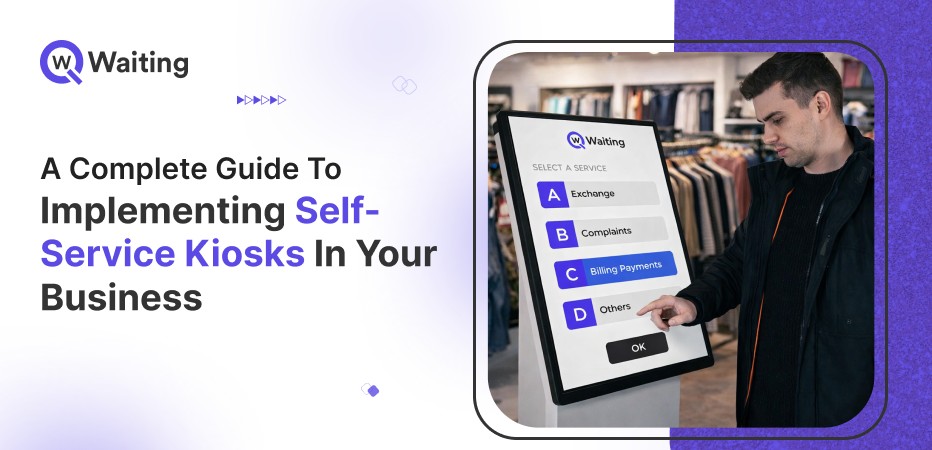
You might have probably seen self-service kiosks everywhere lately. They are way more than just fancy touchscreens. In 2025, at major restaurant chains, these machines helped people get their food much faster, cutting wait times by up to 76%. Because they work so well, leaders at major companies are spending a lot of money to put them in more stores. They want things to be quick and easy for everyone.
However, there is a big problem that most companies don’t like to talk about. Many of these kiosks end up breaking or being ignored after just one year. This usually happens because companies rush to install them without a good plan. They treat the kiosk like a simple piece of furniture instead of a new way to run a business. To make them work, leaders have to rethink everything, from how employees spend their time to how they use customer data. It takes a lot of discipline to get it right.
This guide is for the people who want their kiosks to actually succeed for years, not just weeks.
What to expect:
- Key benefits of self-service kiosks
- How your organization can select a kiosk that suits your business needs
- How to successfully install and implement the machine for ongoing growth
Let’s dive in.
Why Add Self-Service Kiosks? Key Benefits
Kiosks do more than speed up sales; they lower labour costs, collect better customer data insights, and let staff focus on complex tasks. Here’s what decision-makers need to know.
Boost Speed and Customer Satisfaction
Speed is a trust signal. Customers who wait too long don’t just get frustrated — they leave and don’t return.
- According to Tbin’s research, Gen Z wants everything digitized. 61% of people said they prefer restaurants with more self-service kiosks, as it makes them feel more in control of their bookings.
- Starbucks reported an improvement in service speed after integrating kiosk ordering.
- Compare wait times before and after setup to prove the system’s value. This clear data makes it easy to justify expanding the technology to other areas.
Cut Costs and Staff Workloads
The financial logic for kiosks is clear, though it goes beyond just the initial price tag. To see the real value, you have to look at how much they save you in long-term labor and how much more they earn through faster service.
- The self-service kiosk global market is expected to reach between $35 billion and $45 billion by 2030. In the restaurant sector specifically, the shift is even more dramatic; the number of installed units worldwide surged by 43% between 2021 and 2023 and is on track to double to approximately 700,000 units by 2028.
- Research shows that restaurants using kiosks cut labor costs by as much as 10%. By managing high-order volumes automatically, these systems eliminate the need to hire extra staff just to handle peak-hour rushes.
- Shifting employees from processing transactions to solving problems creates a better experience that builds long-term customer loyalty and higher revenue.
Gather Data and Personalize Service
Kiosks are quiet data engines. Most operators underuse this capability.
- Kiosks collect up to 5x more customer interaction data than traditional registers.
- Connecting kiosk data to your CRM enables real-time personalization, allowing the system to display relevant offers exactly when a customer is making a decision. This integration turns a simple transaction into a targeted marketing opportunity that can significantly increase your average order value.
- The more sessions kiosks log, the more precisely you can tailor promotions, reduce friction, and improve upsell conversion.
For a focused look at how deploying self-service kiosks actually improves queue flow and customer experience across real business scenarios, see:
how the adoption of self-service kiosks improves the queuing process
Pick the Best Kiosk for Your Needs
Choosing the wrong kiosk erodes customer trust and creates lasting operational messes. Success depends on selecting the right hardware and software. Here is how to evaluate your options clearly.
Types of Kiosks and Their Fits
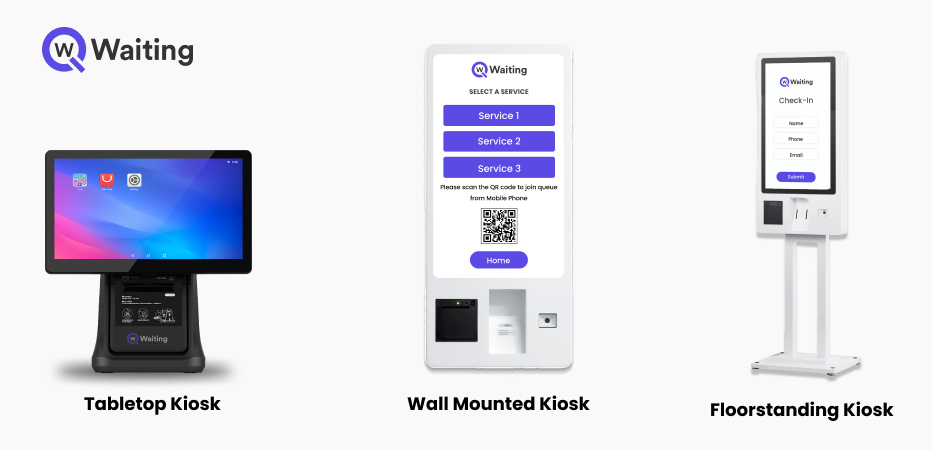
Selecting the wrong kiosk for your business creates immediate friction, as different environments require specific functional designs.
- In food service, touchscreen ordering kiosks like those at McDonald’s are the standard, significantly increasing average order values by automating the upselling process.
- Meanwhile, hospitality, airlines, and healthcare rely on payment and check-in kiosks specifically designed to offload volume from front desks and reception areas.
- In a retail store, information kiosks serve a different purpose by helping customers find products, navigate aisles, or access loyalty accounts.
Successfully matching the kiosk type to your specific service context is a functional requirement rather than a simple preference. When these are misaligned, customers become confused and end up returning to staff for help, which completely defeats the purpose of the automation.
To see how different industries are using self-service kiosks strategically, explore how leading sectors are transforming service operations with tailored kiosk deployments.
Hardware and Software Essentials
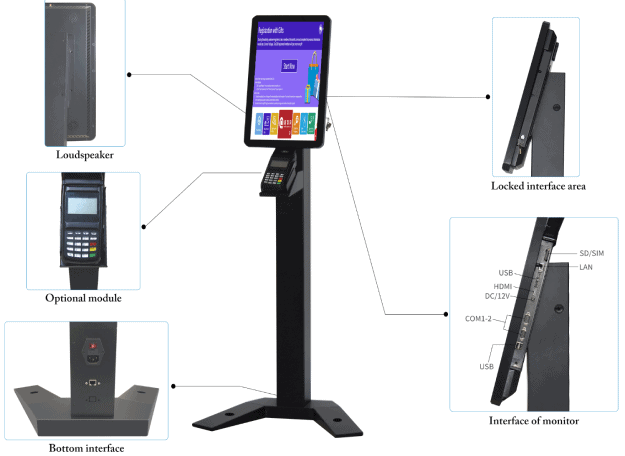
Investing in a high-quality, commercial-grade hardware kiosk is essential, as underpowered units often become liabilities within 18 months. Standard enterprise kiosks typically feature 22-inch touchscreens and processors built to handle heavy peak-hour traffic without lagging. Choosing durable models with an IP65 rating for protection against dust and moisture can extend the unit’s life to over five years, usually delivering a full return on investment within the first 12 months.
On the digital side, cloud-based software is a critical requirement for managing multiple locations, as it allows for remote updates and real-time performance monitoring.
Vendor Selection Tips

In 2026, a kiosk deployment is no longer a one-time purchase but a long-term operational partnership. To ensure success, you should treat the process as a strategic collaboration rather than a simple equipment order. You should never sign a contract without testing a live demo unit in your actual environment to see how it performs under your specific daily conditions.
When evaluating your options, it is best practice to compare at least 3 different vendors using 2026-specific case studies and verified client references. Your criteria should focus on more than just the initial price; prioritize integration flexibility with your current POS or CRM systems and demand clear, contractually defined service level agreements (SLAs). Any vendor unable to provide a detailed, long-term support model is a major red flag, regardless of how impressive their technology looks during a sales pitch.
Before committing to any vendor, it also helps to review a structured evaluation framework. This Self‑Service Kiosk Buyer’s Checklist walks through the critical questions businesses should ask before investing in kiosk hardware or software.
Step-by-Step Implementation Guide
A rushed kiosk rollout fails. Success requires operational discipline, thorough planning, and honest testing to avoid months of troubleshooting and ensure a high-impact, intentional launch.
Plan and Design Phase
The foundation of a successful kiosk deployment is established 4 to 6 weeks before a single unit goes live. To avoid common pitfalls, you must map your physical service flow to identify exactly where bottlenecks form and where foot traffic naturally pools. Testing multiple user journey paths in a mock environment allows you to refine the layout and catch friction points before they become permanent issues on your floor.
Adopting a pilot-first strategy of testing in a limited number of stores, can significantly reduce the need for expensive mid-deployment design changes.
Install and Test
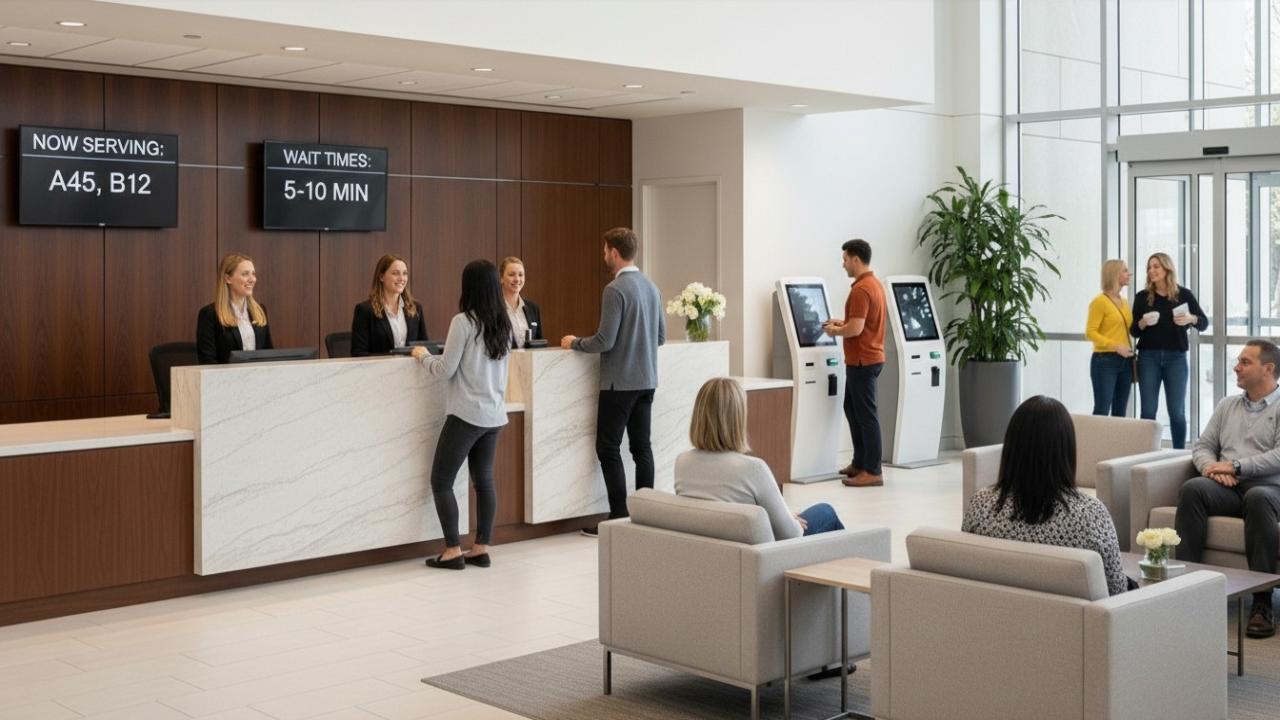
Installing kiosks without a proper testing protocol is simply expensive guesswork. To ensure success, you must target a 90% operational uptime baseline, which requires a proactive strategy of daily system checks rather than waiting for something to break. Before going live, ensure that at least 2 staff members per shift are fully trained in basic troubleshooting to handle minor technical hiccups on the spot.
During this phase, pay close attention to environmental factors like screen glare from ambient lighting, a commonly underestimated issue that can make a high-end display virtually unusable if the kiosk isn’t positioned correctly.
Launch and Train Customers
A kiosk is ineffective if customers do not use it, no matter how well the technology works. To encourage adoption, it’s important to create a “habit loop”. Once a customer successfully uses a kiosk, they are much less likely to go back to traditional staffed queues.
To build this momentum safely, start with a small rollout of 2 to 4 units in a high-traffic area. This approach allows you to refine the user experience and validate the concept before expanding to the entire floor or additional locations.
Measure Success and Next Steps
Without measurable KPIs, kiosks are hard to justify or scale. Setting clear goals from the start provides the data needed to prove success, defend your budget, and quickly fix operational issues.
- Businesses deploying kiosks report an average 15% lift in sales during the first year of full operation.
- Core KPIs to track: adoption rate, average transaction time, order value differential (kiosk vs. staffed), uptime percentage, and labor cost per transaction.
- Invest in an analytics dashboard that aggregates this data in real time. Gut-feel management doesn’t scale; visibility does.
When the numbers hold up, scale decisively. Pilot locations that demonstrate strong performance are the proof of concept your CFO needs to approve a broader rollout.
Sustainability metrics are also becoming part of kiosk performance evaluation. Many organizations now assess power consumption and digital display efficiency alongside operational KPIs. This guide on low-carbon kiosk and display systems explains how smarter infrastructure can reduce environmental impact while improving operational efficiency.
Conclusion
Implementing self-service kiosks is a structural decision, not a tactical one. Done right, it reshapes service economics, improves customer experience, and gives operations teams the data they need to keep improving. Done poorly, it creates visible friction that undermines both your brand and your team.
The framework above isn’t theoretical. It reflects the operational logic that separates deployments that deliver sustained ROI from those that get quietly rolled back six months later.
At Qwaiting, we work with organizations navigating exactly this kind of operational transformation, across healthcare, retail, banking, and government. If you’re evaluating kiosk integration as part of a broader customer journey redesign, we’re ready to help you build it the right way.
Ready to see how Qwaiting supports smarter, scalable service operations? Start your trial today.