
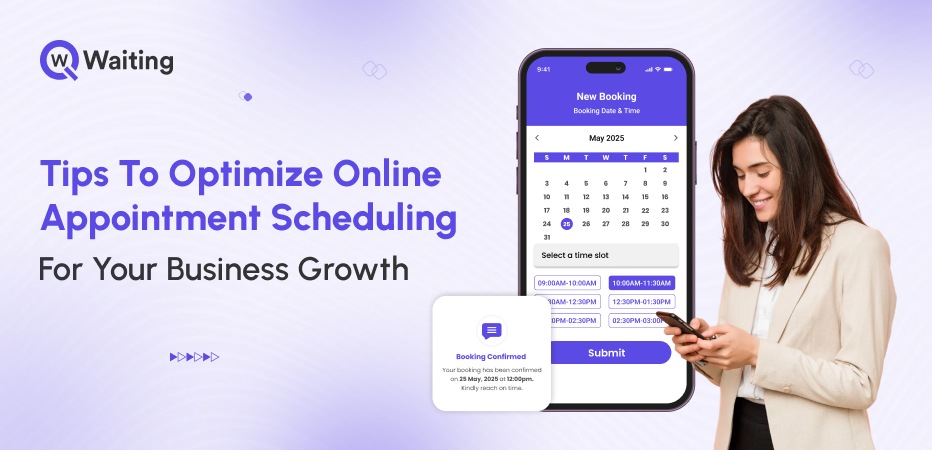
Imagine your office receptionist is out sick for the day. The phone keeps ringing, and no one is there to answer it. By lunchtime, you have already missed fourteen phone calls, and three of your clients did not show up for their appointments. This happened because their reminder emails were lost in their junk folders, so they forgot to come. This is not just a problem with your computers or apps.
This all could have been avoided if your business used an online booking system. When scheduling fails, everything else goes wrong. The most successful businesses are doing more than just using new software. They are changing how they think about their daily schedule. They use data to make better choices and treat every open time slot like a valuable prize. Making this change is what helps a business grow instead of staying stuck.
In this article, we will talk about some tips leaders can use to better optimize their scheduling software for ongoing business growth.
Why Online Appointment Scheduling is Critical for Modern Businesses
Scheduling an appointment is no longer just a simple task. It is now a powerful tool that helps businesses find new customers, keep them, and stay organized to beat their competition. Here’s why it matters more than most executives realize.
The Shift from Traditional to Digital Booking
In the past, booking an appointment over the phone worked well. Back then, customers were more patient, and staff had more time to answer. That is no longer true today. People now want to book things instantly on their own.
In 2026, people no longer hold that patience. Businesses using online booking software reported 40% fewer scheduling errors and captured appointments outside traditional office hours. Businesses that use it have far fewer mistakes. These systems work even when the office is closed. In fact, many people book their appointments late at night. This helps businesses stay organized and make more money.
Here’s how online bookings are far more beneficial for modern businesses over traditional methods:
| Metric | Traditional Booking | Online Booking |
| Booking Accuracy | 70-75% | 95-98% |
| Average No-Show Rate | 18-25% | 8-12% |
| Customer Satisfaction | 3.2/5 | 4.5/5 |
| After-Hours Conversion | 0% | 25-30% |
Competitive Advantage and Market Differentiation
In competitive markets, customers often choose the business that is easiest to access. If two dental offices are both good, people will pick the one with fast online booking. They do not want to spend time making a phone call if they can just click a button. Getting a customer scheduled quickly means the business makes money faster.
This happens every day in healthcare, DMVs, or any other public places. Customers look around to see who is available right now. If your competitor makes it easy to book and you do not, you will lose that customer. If the booking process is hard to get through, people will simply go somewhere else.
Impact on Customer Experience and Retention
When a business is hard to access, customers will stop coming back. People might put up with okay service once, but they will not try to use a broken booking system a second time. Online scheduling makes things easy. Customers can see exactly when the business is open, pick their own time, and get a message right away when they are all set.
By making it easy to sign up, the business made its customers much happier and more loyal.
ROI of Optimized Scheduling Systems
The money side of this is very clear. When people do not show up for their appointments, the business loses money and time. Online systems send automatic reminders, which help make sure people actually show up. This pays for the cost of the system very quickly because the business stops wasting its resources. This is a real way for a business to save money and run better every day.
Customers these days want bookings on their tips, and if your business is still using manual bookkeeping methods to manage bookings, you are losing out on a lot already. Must read our blog on Why Appointment Scheduling Software is Essential in 2026, to know more about the booking software.
Key Features That Make an Appointment System Work for Growth
Not all systems help a business grow. The best ones do more than just use computers. They are designed to save time, prevent mistakes, and provide useful information. Here’s how smart booking tools help businesses grow:
24/7 Online Booking and Multi-Channel Self-Service
People do not always book appointments during the workday. They often remember to book things late at night or on the weekends when they are finally relaxing. If your business only takes bookings over the phone while the office is open, you are missing out on a lot of money. You need a system that stays open even when you are asleep.
Modern booking tools work everywhere, including your website, phone apps, and even social media. This makes it very easy for customers to find you and sign up immediately. When you remove these hurdles, more people will choose your business. In fact, many companies find that nearly half of their customers book their visits when the office is actually closed.
Automated Reminders and Follow-Ups
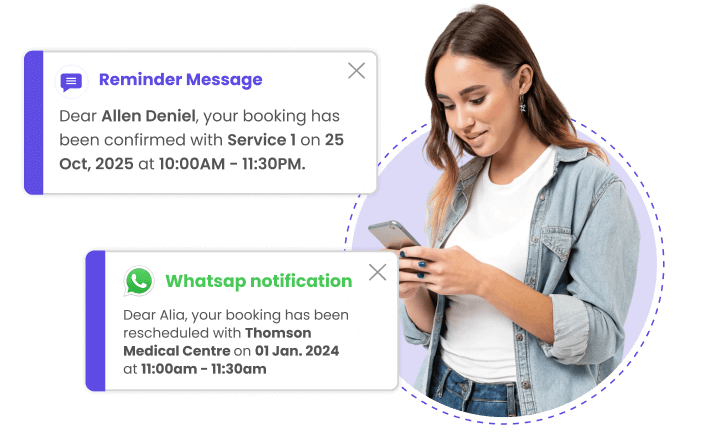
No-shows and late arrivals destroy operational efficiency. They create idle capacity that can’t be recovered and disrupt schedules for everyone downstream. Automated reminders, via SMS, email, or app notifications, cut no-show rates dramatically.
The key is timing and personalization. A reminder 48 hours out gives customers time to reschedule. A second nudge 2-4 hours before the appointment catches last-minute conflicts. Systems that allow one-click rescheduling perform even better.
Here’s how appointment reminders help reduce no-shows:
| Reminder Type | Timing | Avg. No-Show Reduction |
| Single Email Reminder | 24 hours prior | 15-20% |
| SMS + Email Combo | 48h + 2h prior | 35-45% |
| App Push Notification | 24h + 1h prior | 40-50% |
Integration with Business Tools
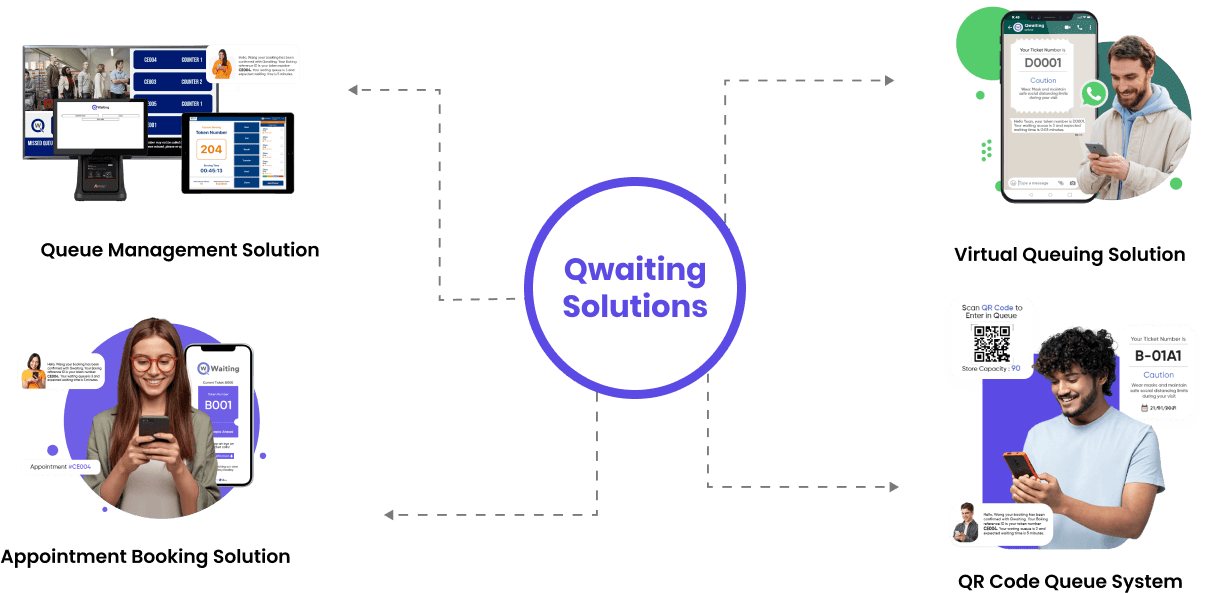
When your scheduling system is separate from everything else, your information gets stuck in different places. The best way to run a business is to connect your booking tool to your other computer programs. This lets you see everything in one place, like how much money you are making and what your customers like to do.
Connecting these systems helps you make much smarter choices. You can see which ads are bringing in the most customers and which services people cancel the most. It also helps you spot when a customer might be planning to leave for another business. Without this connection, you are just guessing and do not have the full story of how your business is doing.
Customizable and Smart Scheduling Workflows
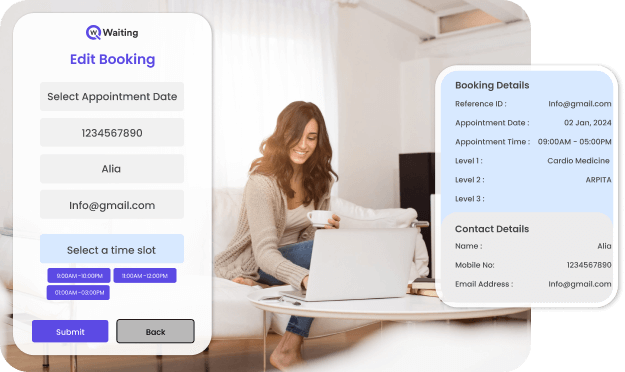
Every business has unique scheduling logic; service durations vary, staff have different skills, and peak times shift. Generic calendar tools can’t accommodate that complexity. Customizable workflows let you define rules for service types, buffer times, staff assignments, and recurring appointments.
Advanced systems add predictive intelligence: analyzing historical patterns to recommend optimal scheduling strategies, flagging potential overbooking risks, and dynamically allocating staff during peak demand. The goal is operational precision, not just digital calendars.
Strategies to Optimize Online Scheduling for Greatest Impact
Deploying an appointment system is the starting point, not the finish line. Optimization is where growth happens, refining workflows, analyzing patterns, and continuously reducing friction. These strategies separate systems that work from systems that scale.
1. Streamline the Booking Process for User Experience
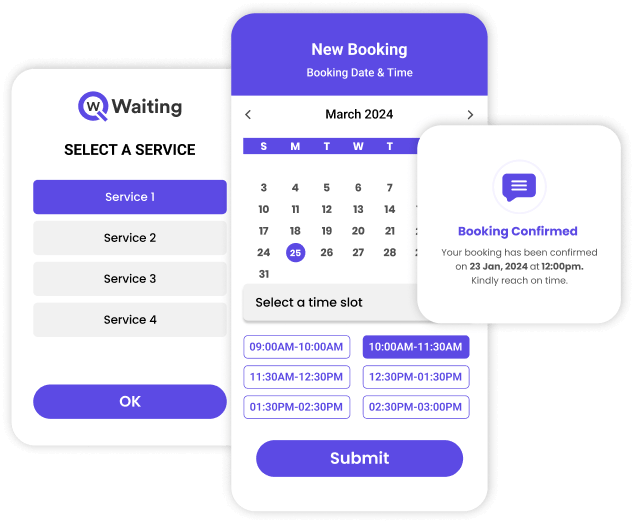
Every extra click is a chance to lose the booking. Customers abandon forms that ask for unnecessary information, need account creation, or take more than 60 seconds to complete. The best booking experiences are brutally simple: service selection, time slot, basic contact info, confirmation.
Mobile-first design is non-negotiable. Over half of all online bookings now happen on smartphones. If your scheduling page doesn’t load fast and function smoothly on mobile, you’re losing conversions before customers even try.
UX Checklist for Appointment Pages:
- Maximum 3 steps to complete the booking
- Pre-filled fields for returning customers
- Visual calendar with real-time availability
- One-tap payment or deposit option
- Instant confirmation (no “we’ll get back to you”)
2. Use Analytics to Drive Decisions
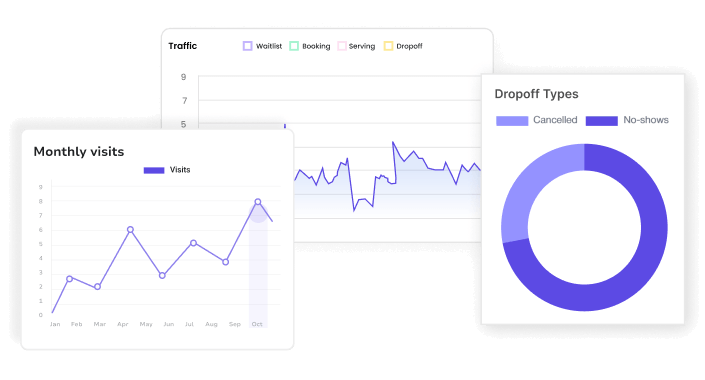
Scheduling systems generate operational intelligence if you know where to look.
- Track peak booking times to optimize staffing.
- Identify services with high cancellation rates to investigate quality or pricing issues.
- Track lead time (how far in advance customers book) to improve demand forecasting.
Analytics turn appointment data into a competitive advantage. You’re no longer guessing when to add capacity or which services to promote. You’re making evidence-based calls.
3. Offer Flexible Scheduling Options

Difficult scheduling frustrates customers and limits growth. Recurring appointments, weekly therapy sessions, and monthly maintenance visits should be bookable in one transaction, not rescheduled manually every cycle. Buffer times between appointments prevent overruns from cascading into delays.
Multi-service bookings allow customers to stack complementary services in one visit, increasing transaction value and convenience.
A car service center that lets customers book an oil change, tire rotation, and inspection simultaneously sees higher revenue per visit and better capacity use.
4. Upselling and Promotions During Booking
The booking moment is a high-intent transaction. Customers are already committed! They’re choosing when and what to buy. Smart systems leverage that intent by suggesting upgrades, add-ons, or bundled packages during the scheduling flow.
A massage studio offering a 90-minute session upgrade at booking saw 22% take rate, adding significant revenue without extra marketing spend. The key is relevance: suggest services that logically complement what the customer already selected. Aggressive upselling backfires; thoughtful suggestions convert.
5. Customer Segmentation Strategies
Not all customers are equal in value or behavior. Loyal, repeat clients deserve differentiated treatment, priority access, exclusive time slots, and personalized offers. New customers need onboarding experiences that build trust and encourage return visits.
Segmentation lets you tailor engagement.
- Send loyalty rewards to frequent bookers.
- Offer first-time discounts to attract new customers.
- Re-engage dormant clients with targeted campaigns.
Treat your scheduling system as a CRM, not just a calendar.
For even deeper tips on streamlining appointment workflows and reducing no-shows with practical strategies, check out our guide on:
Overcoming Common Appointment Scheduling Challenges
Even well-designed systems hit operational friction. No-shows persist, multi-location coordination breaks down, and peak demand overwhelms capacity. Solving these challenges separates functional scheduling from systems that actually drive growth.
Handling No-Shows and Last-Minute Cancellations
No-shows are revenue leakage, plain and simple. Deposits reduce this! Customers with financial commitment show up. Waitlists turn cancellations into opportunities by instantly offering the slot to someone else. Instant rescheduling tools let customers adjust without penalty, reducing outright no-shows.
One dental practice cut no-shows from 22% to 9% by implementing a $25 deposit need and automated waitlist notifications. The deposit wasn’t profit; it was accountability. Customers who paid upfront valued their appointments differently.
Managing Multiple Locations and Staff Availability
Multi-location businesses face coordination nightmares. Double-bookings across branches, inconsistent availability updates, and unfair workload distribution erode both customer experience and employee morale. Centralized scheduling with real-time synchronization solves this: one system, one source of truth.
Staff assignment logic ensures fair distribution and respects individual expertise or preferences. Customers get the right provider, providers avoid burnout from unbalanced schedules, and managers gain visibility across the entire operation.
Seasonal and Peak-Time Management
Demand surges during holiday seasons, back-to-school periods, end-of-quarter rushes, and tests every scheduling system. Without smart capacity management, you either overbook and frustrate customers or leave money on the table by being too conservative.
Dynamic scheduling adjusts slot availability based on real-time demand and historical patterns. Buffer times shrink during peaks to maximize throughput. Waitlists automatically activate when slots fill. The system flexes without breaking.
Security, Privacy, and Compliance
Appointment data includes personal information, health details, payment credentials, and behavioral patterns. A breach isn’t just embarrassing; it’s legally catastrophic. GDPR in Europe, HIPAA in healthcare, and PCI-DSS for payments set strict requirements.
Compliance isn’t optional. Choose systems with end-to-end encryption, role-based access controls, audit trails, and certifications from recognized standards bodies. If your scheduling platform can’t prove compliance, you’re assuming unacceptable risk.
Measuring Success and Scaling Your Appointment System
Growth requires measurement. Without clear metrics, you’re optimizing blindly. The best scheduling systems generate data that tells you what’s working, what’s broken, and where opportunity hides.
Key Metrics to Track
Booking rate (percentage of inquiries that convert to appointments) reveals friction in your funnel. No-show rate measures reliability and financial risk. Lead time (how far ahead customers book) helps with staffing and inventory planning. Customer satisfaction scores confirm experience quality.
Track these over time to identify trends, not just snapshots. A rising no-show rate signals engagement problems. Declining lead time might show urgency-driven demand or marketing effectiveness.
Collecting Feedback to Improve the System
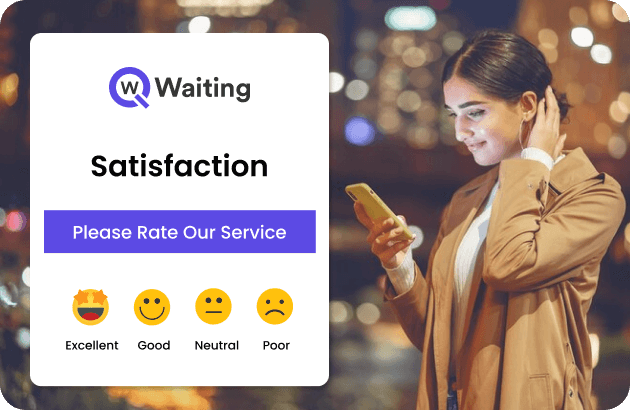
Customers experience your scheduling system before they experience your service. Their feedback on booking ease, confirmation clarity, and reminder relevance is critical. Post-appointment surveys should ask about the entire journey, not just the core service.
Use feedback to refine workflows. If customers consistently mention confusion about cancellation policies, clarify messaging. If mobile users report slow load times, optimize the interface. Feedback closes the loop between deployment and perfection.
Scaling Across Teams and Locations
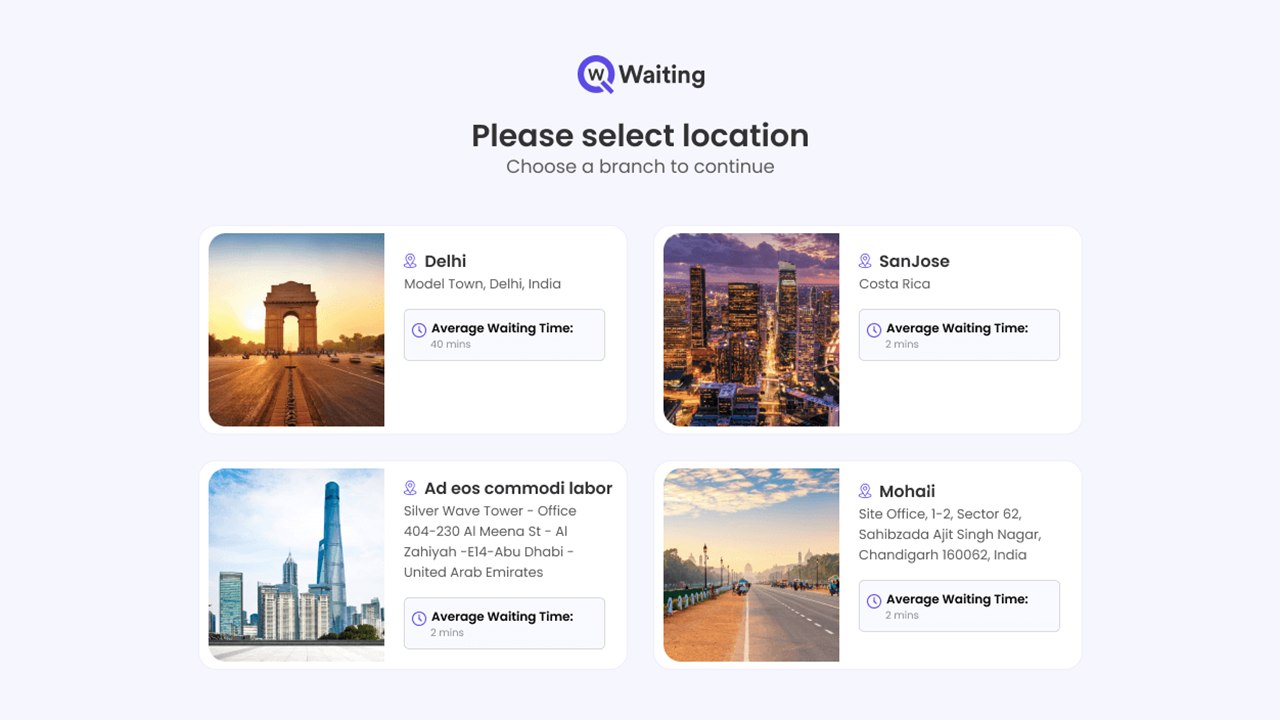
Scaling isn’t just adding users; it’s maintaining consistency while accommodating local variation. Multi-branch rollouts need staff training, workflow standardization, and phased implementation to avoid disruption.
Start with one location or department, confirm the system, then expand. Document lessons learned. Build internal champions who can train others. Maturity comes in stages: basic scheduling, then automation, then intelligence, then full orchestration across the enterprise.
ROI and Business Impact
Optimized scheduling translates directly into financial outcomes.
- Higher booking rates mean more customers served.
- Lower no-show rates protect revenue.
- Better staff utilization reduces labor costs.
- Improved customer experience drives retention and referrals.
Calculate your ROI by measuring: revenue from incremental appointments, savings from reduced administrative labor, cost avoidance from fewer no-shows, and customer lifetime value improvement from enhanced experience. The payback is measurable, repeatable, and scalable.
Conclusion
Online appointment scheduling isn’t a digital upgrade; it’s an operational infrastructure that determines whether your business controls growth or reacts to chaos. The gap between companies struggling with capacity and those scaling profitably often comes down to how intelligently they manage appointments.
Optimization isn’t a one-time project. It’s a continuous process of refining workflows, analyzing data, reducing friction, and aligning scheduling with broader business strategy. The organizations winning this game aren’t necessarily the most technologically advanced; they’re the ones that treat every appointment as a commitment to efficiency, every booking as a data point, and every customer interaction as a moment to build trust.
The question isn’t whether to optimize your appointment system. It’s whether you’re willing to compete without it.
Book your 14-day smart appointment scheduling tool trial today with Qwaiting. Let Qwaiting power your growth and automate your bookings.