
You might have the best tools for managing lines and other queue systems to offer a seamless waiting experience to your customers, but if the staff members who use them every day do not use them correctly, the tools are a waste of money. The best tools are not the ones with the most features. You must train the staff well and support the people who use the new system every single day. This support is the most important part of making the new system work.
Here’s what’s interesting: most organizations spend months evaluating vendors and weeks negotiating contracts, then allocate maybe two half-days for staff training. That’s backwards. The technology works. It’s your team’s confidence, clarity, and consistency that determine whether you see ROI in 90 days or never.
In this blog, we will discuss how businesses can train their frontline members to use the queue innovation and other tools more effectively for a successful execution and easy adoption.
Why Staff Adoption Determines the Success of Any Queue Technology
You have probably seen this happen before. A new computer system has been put into the office. At first, everyone is excited about it. But that excitement goes away very quickly. The problem is not the computer system itself. The problem is how the company tried to get people to start using it.
Here’s what affect it’s easy adoption:
The Real Bottleneck Isn’t the Technology—It’s the Rollout
Even the best queue systems fail if there is no good plan for using them. This happens everywhere, like in stores, banks, hospitals, and government offices. The same mistake happens over and over.
The leaders focus on setting up the computer system and think the staff will just learn how to use it on their own. But they do not. Studies show that 45% of employees resist using new software that is introduced without adequate training. The project does not fail because of a computer mistake; it fails when businesses don’t involve those who are actually gonna use it!
What Teams Care About (And What They Don’t)
The people who work with customers do not care about the deep technical details. They do not worry about how the computer systems talk to each other. They only care about a few things. They want to have less stress, and want to help customers faster, especially when it is busy. When you tell staff that new technology will help them with these things, they start using it quickly.
Employees often resist new tools for clear reasons. Either they are afraid they will look silly or slow in front of a customer, or they remember when a new system was installed before, and it made their job harder, not easier.
The Cost of Poor Adoption
When staff adoption lags, the consequences show up immediately:
- Walkaways Increase: More customers get tired of waiting. They just leave the store or office without getting help.
- Service Times Stretch: It takes much longer to help each customer.
- Data Gets Entered Inconsistently: Staff put information into the system in different ways. This makes the reports you look at wrong or hard to trust.
- Frustrated Staff Blame the Platform: Annoyed users blame the new computer tool for being bad. But the problem is actually how the company introduced the new tool.
What Great Adoption Looks Like
You know you’ve nailed adoption when:
- Staff confidently use the platform without supervision. They troubleshoot minor issues independently and understand the “why” behind each workflow step.
- Reduced queue bottlenecks. Service flow improves measurably within the first 30 days, and throughput data shows it.
- Higher customer satisfaction scores. When staff are comfortable, customers feel it. Wait time perceptions improve even when actual times stay similar.
- Strong feedback loop between staff and managers. Your team actively suggests improvements instead of quietly resisting the system.
Many businesses that achieved dramatic improvements followed the same execution pattern outlined in our guide on how to reduce customer wait times by 50% in 30 days: strong rollout, clear workflows, and confident staff adoption.
Preparing Your Workforce Before the Technology Goes Live
Training for a new system often fails before it even starts. If you do not prepare your staff well, even a great training class will not help them remember the new things. Here’s how leaders can make adoption possible:
Build a Clear Internal Narrative
Leaders need to position queue technology as a strategic transformation that makes everyone’s job better, not just another IT mandate. The messaging framework should always lead with benefits, not features.
Sample internal announcement: “Starting next month, we’re implementing a new queue management system designed to reduce the chaos during peak hours and give you better control over customer flow. This means fewer interruptions, clearer priorities, and less time handling walk-ins who just want to know their wait time, and we’re going to train you so well that this feels natural, not confusing.”
Identifying Champions and Influencers Inside the Team
Great adoption champions aren’t always your top performers, they’re the people other staff naturally turn to for help. Choose representatives across shifts, roles, and branches who have credibility and enthusiasm.
| Role | Responsibilities |
| Champions | Test early, provide feedback, lead by example, troubleshoot peer questions |
| Supervisors | Monitor daily usage, coach in real-time, and escalate technical issues |
| Managers | Track adoption metrics, communicate wins, reinforce training objectives |
Pre-Training Resources That Build Early Confidence
Do not wait for the actual training class to show the new system. You should use short videos that explain things, provide quick guides they can look at easily.
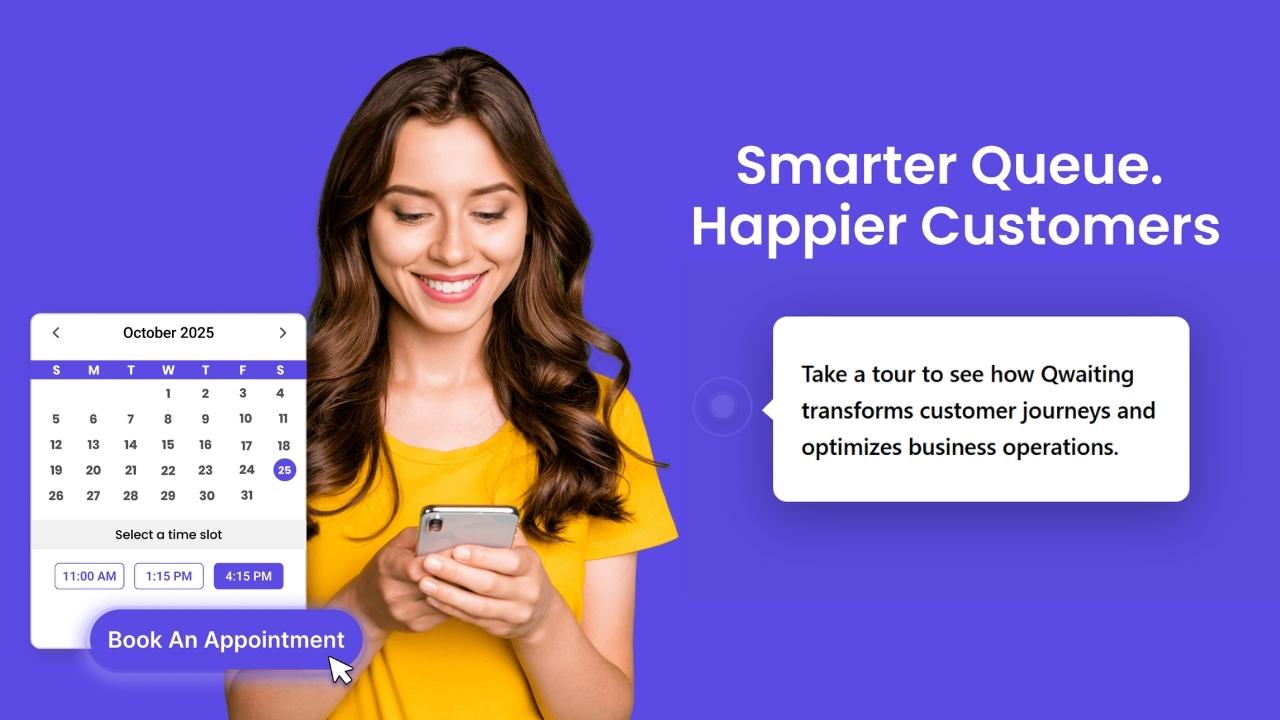
When staff people go to the formal training, they will already know the screen and buttons. This makes them feel less worried and will learn the new system much faster.
Micro-learning checklist:
- 3-minute intro video: “What this platform does and why it matters.”
- 5-minute walkthrough: “How to check-in a customer.”
- Reference guide: “Top 5 actions you’ll use every day.”
- Sandbox access: “Test it yourself before going live.”
Leadership Playbook for Change Communication
Talking to the staff often and being honest stops wrong stories from starting. It also helps stop workers from fighting the change. You must answer the hard questions directly.
For example,
If they ask, “Will this system take away my job?” The answer should be no. Tell them it will give them more time for more important work.
If they ask, “What if I cannot learn it quickly enough?” Tell them that the training is made for different skill levels. Say that no one will be left to struggle alone.
Running Effective Training Sessions That Teams Actually Enjoy
Training does not have to feel like being punished. It should not be boring like a time-out. When training is useful and fun, workers pay attention instead of ignoring it. The training must clearly show how the new queueing system will make their jobs easier. This makes the staff want to learn new things more easily and quickly.
Training for Different Skill Levels
Not everyone learns at the same pace. Segment staff by comfort level and adjust accordingly.
| Training Style | Best For | Approach |
| Fast-Track Training | Tech-savvy staff, early adopters | Condensed 2-hour session, focus on advanced features, minimal hand-holding |
| Guided Coaching | Staff with lower tech comfort | Longer sessions (4+ hours), step-by-step walkthroughs, hands-on repetition |
Hands-On Demonstrations Over Presentations

Sitting through a 40-slide deck about queue management is painful for everyone. Instead, run real queue simulations with customer flow scenarios. Let staff test the platform during training, checking in customers, managing exceptions, and calling the next person in line. Create training moments that feel practical, not overwhelming. (And yes, mistakes during training are the entire point.)
Reinforcing Benefits: “What’s in It for Me?”
Show staff how the queue management platform reduces chaos during rush periods, eliminates repetitive manual tasks, and gives them better visibility into their workload. Link these benefits to fewer escalations and less stress.
A retail manager told us: “After the first week, my team stopped asking ‘How do I do this?’ and started saying ‘This actually saved me 10 minutes.’ That’s when I knew we’d won.”
Common Training Mistakes to Avoid
- One-time training with no follow-up. Skills fade without reinforcement. Build in refreshers.
- Overloading staff with features instead of workflows. Teach them the five things they’ll do 100 times a day, not the 50 things they’ll use twice a year.
- Ignoring cultural or language differences. If your frontline speaks multiple languages, your training materials should too.
- Not involving supervisors early. If supervisors aren’t trained first, they can’t support their teams effectively.
Post-Go-Live Support: Keeping Teams Confident and Consistent
Go-live day isn’t the finish line—it’s the starting line. The first 30 days determine whether adoption becomes permanent or fades into workarounds.
The First 30 Days Matter the Most
Track adoption percentage, common errors, and workflow gaps daily. Most issues surface in the first two weeks, and how quickly you address them determines long-term confidence.
30-Day Support Checklist:
- Days 1-7: On-site support staff available for real-time help
- Days 8-14: Daily check-ins with supervisors to identify blockers
- Days 15-30: Weekly team huddles to share wins and address recurring questions
- Day 30: Adoption review meeting with leadership and champions
Micro-Coaching and Continued Learning
Short, 5-minute refreshers delivered weekly keep skills sharp without feeling like additional training. Weekly tips, micro-scenarios, and quick wins reinforce learning naturally. Supervisors act as day-to-day anchors, coaching in the moment rather than scheduling formal sessions.
Turning Feedback into Productive Improvements
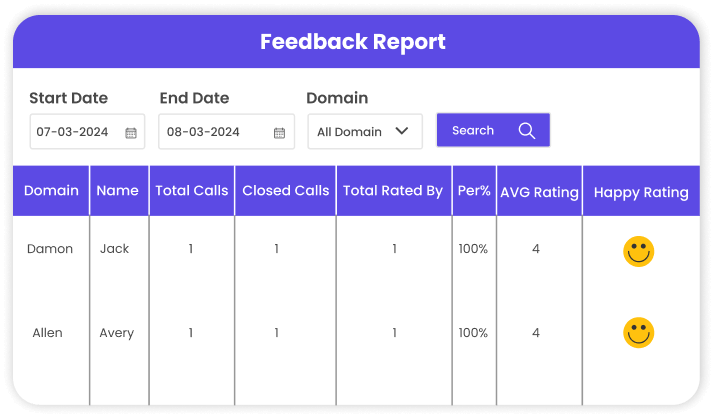
Gather feedback from frontline staff, supervisors, and customers. Use these insights to update SOPs, refine user flows, or simplify confusing steps. When staff see their feedback implemented, they feel heard—and adoption strengthens. A simple feedback dashboard tracking “issues reported” and “issues resolved” builds trust and accountability.
Common Mistakes Leaders Make After Go-Live
- Assuming adoption is complete after training. It’s not. Adoption is a 90-day process, minimum.
- Not tracking performance at the staff level. Aggregate metrics hide individual struggles. If three team members are stuck, address it before it spreads.
- Underestimating the value of reinforcement and recognition. Celebrate early wins publicly. Recognition drives momentum.
Scaling Adoption Across Locations and Future-Proofing Your Workforce
Once your first location or team succeeds, scaling adoption becomes faster if you standardize the process and build long-term readiness.
Standardizing Training Across Branches or Regions
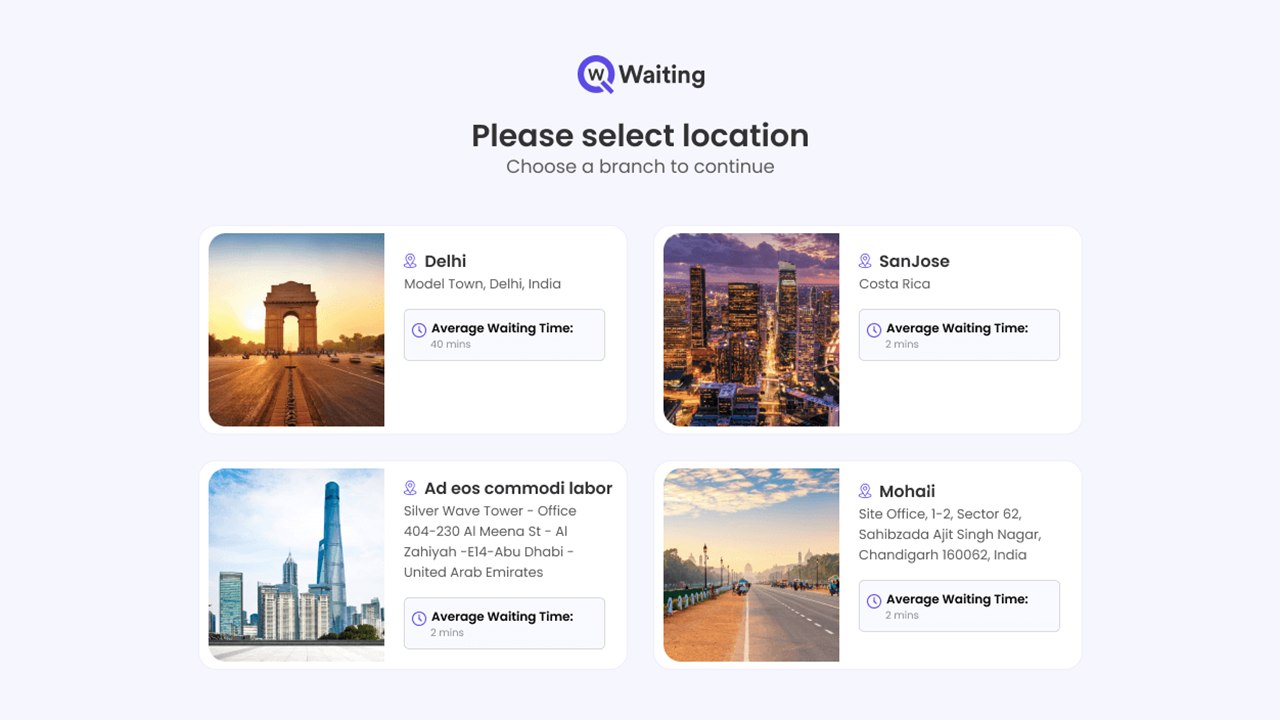
Create unified SOPs, templates, and rollout frameworks that ensure consistent quality, whether you’re training a high-traffic downtown branch or a smaller regional office. Platforms like Qwaiting support multi-location configurations that maintain consistency while allowing local flexibility.
Preparing Teams for New Features and Version Upgrades
Build an “always-ready” culture for digital change. When your team expects regular improvements instead of fearing them, adoption of new features becomes routine. Scalable queue management platforms support multi-phase transformation, so you’re not re-training from scratch every year. A quarterly training roadmap keeps everyone aligned on what’s coming next.
Celebrating Wins and Recognizing Your Teams
Spotlight branches or individuals who excelled during rollout. Share customer impact stories across the organization—when staff see how their work improved someone’s experience, it reinforces why the change mattered.
One healthcare client reduced average wait times by 30% within 60 days and created a recognition program highlighting “Queue Champions of the Month.” Staff engagement with the system jumped from 68% to 94% in the next quarter.
Conclusion
Queue technology works when your people work with it confidently. Most organizations treat staff training as a checkbox item squeezed between implementation and go-live. Then they wonder why adoption stalls at 50% and ROI takes twice as long as projected.
The difference between a successful rollout and a failed one comes down to preparation, practical training, and consistent follow-through. When your frontline staff feel confident instead of confused, when supervisors can coach instead of troubleshoot, and when leadership tracks adoption like they track revenue, that’s when queue technology delivers the efficiency gains you paid for.
Your team isn’t resistant to change. They’re resistant to poorly managed change that makes their jobs harder. Give them clarity, support, and a reason to care, and they’ll adopt faster than you expect.
If you’re planning a queue management system rollout and want a training framework that actually works, Qwaiting’s implementation team has guided hundreds of organizations through this exact process, from pre-launch preparation to post-go-live coaching.
Let’s talk about getting your team ready. Book your free consultation call today.