
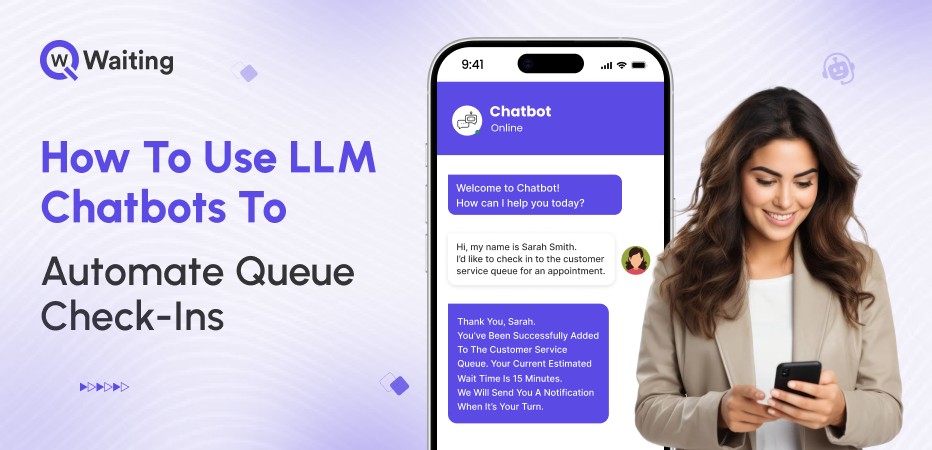
Customer check-ins shouldn’t feel like an interrogation. Yet in most service environments, hospitals, banks, retail stores, and government offices, check-ins can be a big deal. Customers have to wait in line even before they reach the service desk, and they often spend time dealing with forms. Sometimes, the instructions are unclear. Staff members are left overwhelmed, which makes a simple task much harder than it needs to be.
LLM chatbots are changing that equation. These chatbots are making things much easier, not by replacing human interaction completely; instead, they handle the simple parts of checking in. Chatbots eliminate the chances of repetition, and let the staff members focus on the things that really need good judgment and kindness. When you use this AI to help in the right way, it makes checking in very fast, and makes the whole process smarter and easier to understand.
The question isn’t whether to automate. It’s how to do it without making customers feel like they’re talking to a wall.
The New Reality of Queue Check-Ins: Why LLMs Matter Now
Customers now expect things to happen very quickly. Their expectations have changed faster than how most businesses actually work. People want instant responses, seamless digital experiences, and easy check-ins. Traditional check-in systems weren’t built for that world. Here’s why having an active LLM chatbot is not an option anymore, but a necessity:
The Shift: Why Queue Automation Became a Priority
People don’t just want fast service anymore; now, they expect it as the normal way things should work. When it takes too long to check in, it is a big problem that customers can easily see. It slows down the whole experience.
Businesses are facing pressure from many directions because of this, and may not have enough staff members to manage the situation. Sometimes a lot of people show up all at once, which is hard to predict. All of these things make it very difficult for the teams that run the business.
Why Traditional Check-In Models Fall Behind
Outdated chatbots follow strict rules and are not very smart. Simple online forms also fail easily. They cannot understand what a customer really means in a conversation, and miss small, important details. If a customer asks something that is not in the computer’s script, the chatbot breaks down.
What is even worse is that checking in usually involves many different places. This includes websites, phone apps, machines at the location, and the front desk. The experience can be different every time, depending on where the customer checks in. Also, different stores or offices often use different rules. This makes it almost impossible to make sure the service quality is the same everywhere.
To understand why legacy queue systems struggle even before automation enters the picture, you can explore this deeper breakdown of
Here are the common problems every industry that does not use a smart chatbot is facing:
| Industry | Avg. Daily Check-Ins | Common Bottlenecks | CX Impact |
|---|---|---|---|
| Healthcare | 200–500 per facility | Form duplication, missing documents | Frustration, missed appointments |
| Banking | 150–300 per branch | Account verification delays | Walk-aways, negative reviews |
| Retail | 300–800 per store | Product returns, service desk queues | Lost sales, low satisfaction |
| Government | 400–1,000 per office | Complex eligibility checks | Long wait times, public complaints |
How LLM Chatbots Actually Automate Queue Check-Ins
LLM-powered check-in systems do more than just put old paperwork onto a computer. They completely change the way customers go through the service process. The main difference between a simple bot and a smart LLM chatbot is simple. A simple bot only looks for certain keywords (like specific words you type). But an LLM chatbot can understand what you actually mean, your intent, even if you use different words.
Here’s how AI Chatbots help automate customer check-ins:
The End-to-End Flow of an AI-Led Check-In
First impression matter a lot. Whether virtual or physical check-in, if a customer feels like they are not treated right, they simply walk away. Studies even revealed that 58% of customers will abandon a business due to a poor customer experience.
Chatbots, on the other hand, can be a faster source to greet your customers. From the very first time a customer starts talking, the chatbot helps them. It records customers’ important details, guides them to the right service lane, and sends customers updates on their phone or computer right away. These smart AI bots understand questions written in normal sentences. They figure out which service the customer needs, and everything is kept up-to-date instantly with the system.
Multi-Channel Check-Ins: Meet Customers Where They Already Are
Customers nowadays demand the convenience of checking in to their spot from anywhere using their smartphones. They might use WhatsApp SMS, mobile web, kiosks, QR codes, or embedded website chat to reserve their spot in a queue.
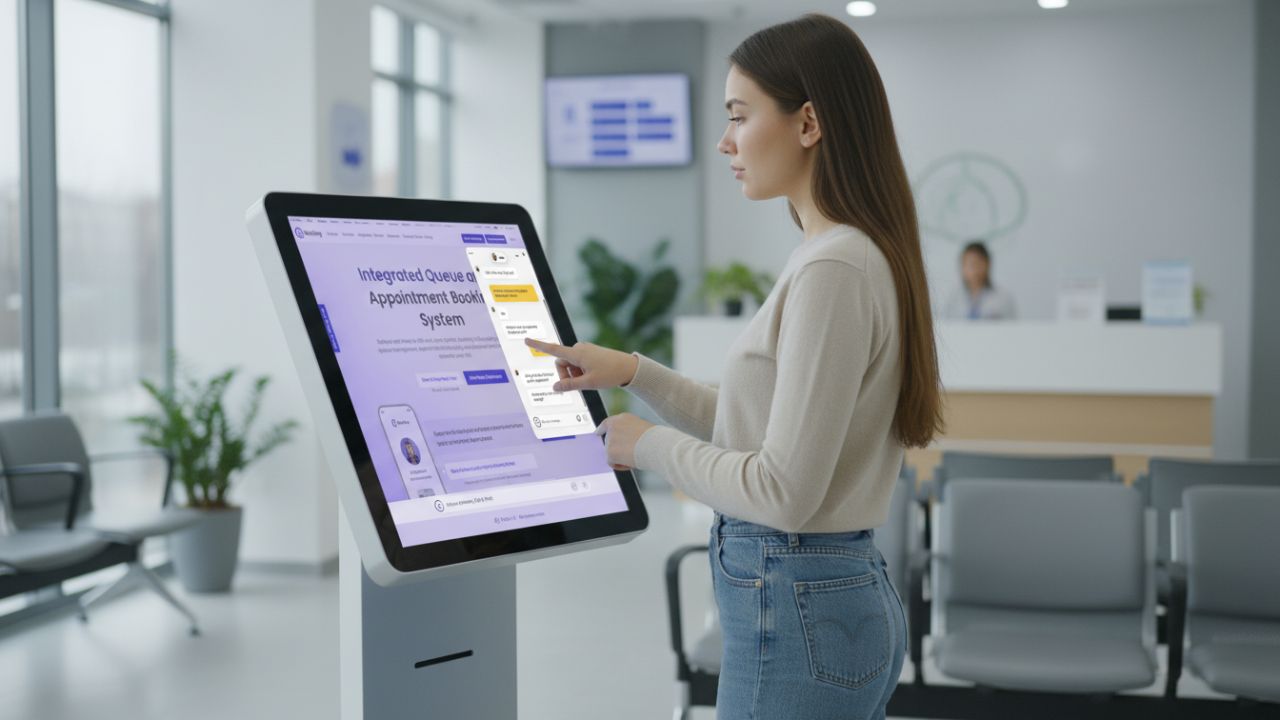
The important thing is that the switch between virtual platforms and physical check-in interaction must be smooth. A business should allow omnichannel check-in for its customers so they can walk in according to their convenience.
Intelligent Escalation: When Automation Hands Over to Humans
Not every check-in should be fully automated. Some situations need a human conversation. This is when you need someone to use their good judgment or be kind and understanding.
The most important thing is to have a smooth change when a customer needs to talk to a person. The customer should not have to start over and repeat everything they already told the computer. Being able to mix the speed of the AI with human kindness means knowing exactly when to let the workers take over. When they step in, they must still know everything the customer has already done.
The CX Safeguards: How to Automate Without Making Customers Feel Ignored
Automation done poorly feels cold and transactional. Done right, it feels effortless. The difference comes down to how well you balance efficiency with experience.
Here’s how you can make chatbot adoption easy for customers:
Personalization That Feels Natural, Not Creepy
Using context is the key to making things feel personal. Context means knowing things like why you are visiting or what kind of service you need. It also helps to know how urgent your need is. This information is not invasive personal data.
When the system knows this context, it can give you a better greeting. This makes the chat feel helpful and relevant.
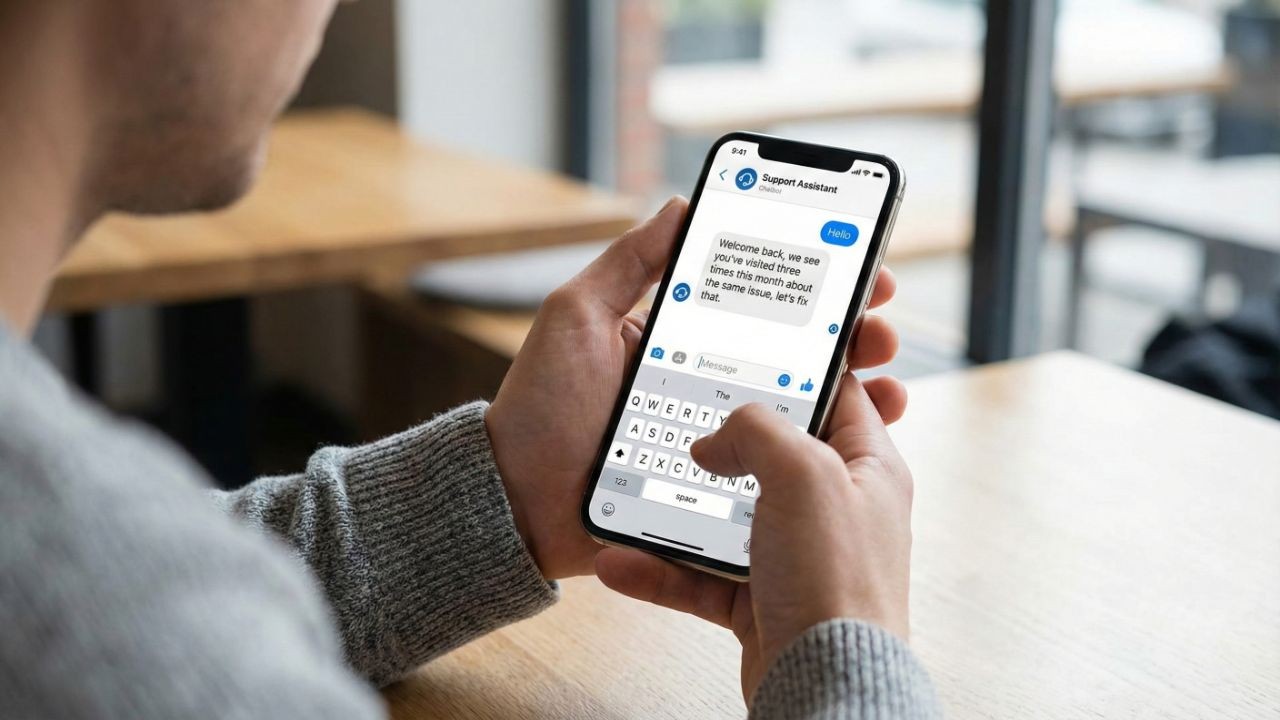
Think about the difference:
- A simple greeting is, “Welcome back, how can we help today?”
- A smart, helpful greeting is, “We see you’ve visited three times this month about the same issue, let’s fix that.”
The second one feels much more personal and helpful without asking for private information you don’t want to share.
Transparent Communication: The Antidote to Customer Anxiety
Uncertainty frustrates people when they don’t know what will happen next.
You can fix this by being very clear. Tell people how long they will wait. Give them a number for their spot in line and simple instructions for each step. Also, tell them what documents they need right away. All of this takes away the guesswork.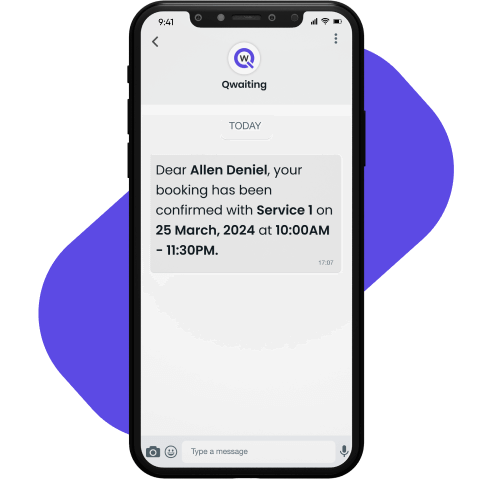
Small, frequent updates make the wait feel predictable. For example, you can tell them: “You’re next in line,” or “Your counter is ready,” or “Expected wait: 8 minutes.” These tiny messages make the wait time seem much shorter. This makes the whole experience much better.
Simplicity Wins: Clear Conversations = Higher Satisfaction
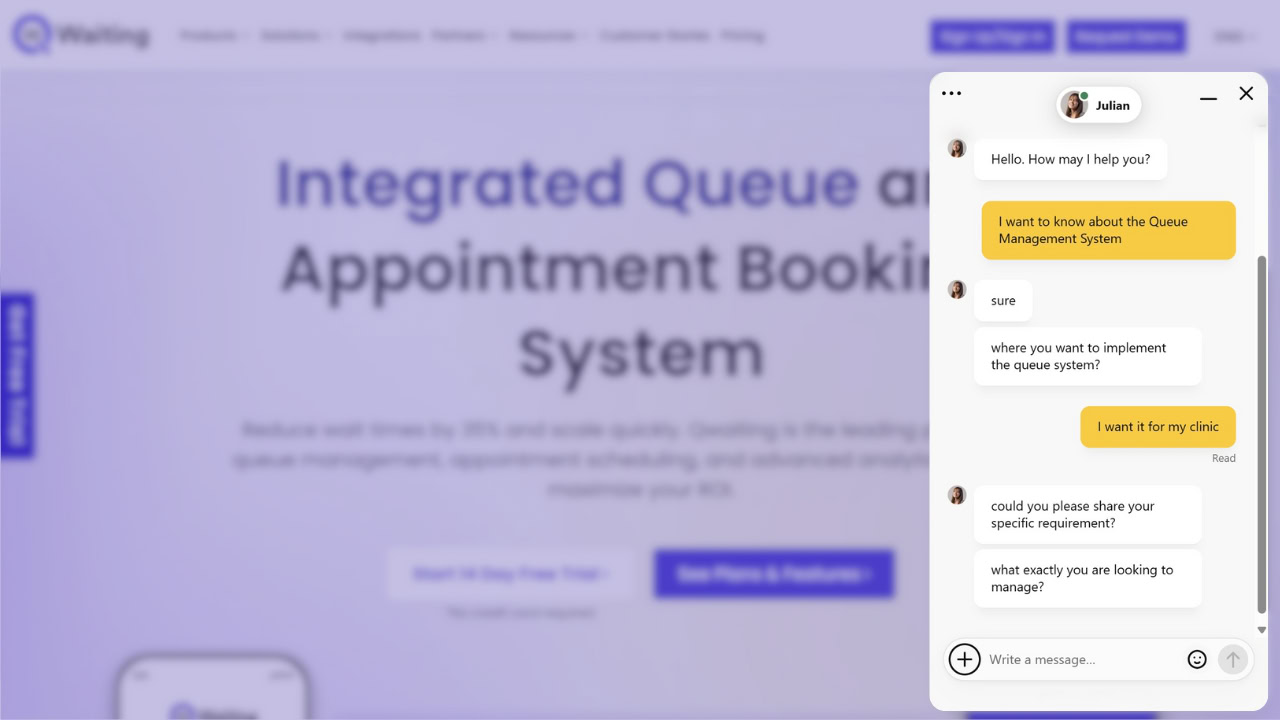
Sending customers long messages that are full of technical words is a fast way to make them leave. You lose their attention quickly. To guide people through checking in, you should use natural language. This means talking the way a person normally talks. You should only ask one clear question at a time. After the person answers, you should confirm what they said. This makes sure they don’t doubt themselves.
You should avoid using hard jargon (special, technical words). Only use a technical word if it’s a standard word that the customer already knows from their industry or job. Simple and clear is always better.
Implementation Blueprint: Rolling Out LLM-Powered Check-Ins the Right Way
Deploying AI-driven check-ins isn’t just a tech integration project. It’s an operational shift that requires planning, alignment, and continuous refinement.
Step 1: Identify High-Impact Check-In Moments
Not all check-ins are created equal. Walk-ins, scheduled appointments, returning visitors, and peak-hour surges each have different needs. Start by mapping where automation will reduce the most friction, and where human interaction still adds the most value.
Step 2: Design the Ideal Conversational Path
Define clear boundaries for what AI handles versus what stays human. Ensure every branch or location follows the same conversational structure so customers get consistent experiences regardless of where they are. Document the ideal flow, test edge cases, and refine based on real user behavior.
Step 3: Integrate With Your Queue Management System
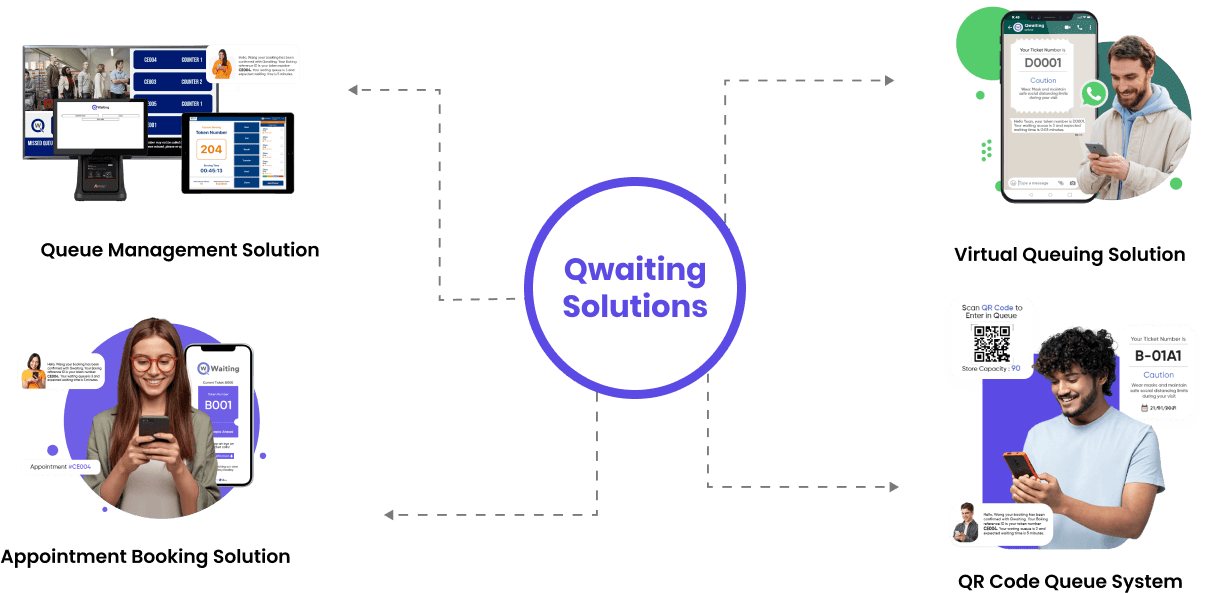
Real-time sync with ticketing, service routing, and live wait-time data is non-negotiable. Every check-in needs to flow directly into staff dashboards so agents have full context the moment a customer reaches them. Integration isn’t just technical, it’s operational alignment.
Step 4: Staff Enablement
Front-line teams need to understand how AI-driven processes change their day-to-day work. Training staff to interpret AI-generated customer context, handle escalations smoothly, and work collaboratively with automated systems makes or breaks adoption. This isn’t about replacing people, it’s about equipping them to do higher-value work.
Step 5: Launch → Monitor → Optimize
Key KPIs to track: check-in completion rate, drop-off points, service accuracy, CSAT, NPS, and staff workload reduction. Continuous feedback loops matter because customer behavior evolves, edge cases emerge, and what works in month one might need refinement by month three. Scaling AI check-ins is an iterative process, not a one-time deployment.
The Business Impact: What Industry Leaders Stand to Gain
The ROI of automating queue check-ins isn’t just about cost savings. It’s about operational leverage, doing more with the same resources while improving customer experience metrics.
Reducing Operational Pressure Without Touching CX Quality
Fewer manual check-ins mean faster throughput. Staff can focus on high-empathy cases, complaints, complex service requests, and vulnerable customers, instead of processing repetitive form data. That shift changes the nature of front-line work from transactional to consultative.
Enterprise-Wide Consistency Across Every Location
Standardizing service processes across branches eliminates the “postcode lottery” where customer experience depends on which location they visit. Real-time oversight for operations managers and decision-makers means identifying bottlenecks before they cascade into service failures.
Always-On Scalability
AI handles 24/7 traffic, including peak surges, without requiring extra staffing. Whether it’s tax season for a government office, flu season for a clinic, or Black Friday for retail, the system scales without breaking.
Conclusion
Automating queue check-ins with LLM chatbots isn’t about removing the human element. It’s about removing the friction that prevents customers from getting to the human element when they actually need it. The technology exists. The platforms are mature. What separates successful implementations from failed ones is thoughtful design, knowing when to automate, when to escalate, and how to keep the experience feeling personal even when it’s powered by AI.
For operations leaders looking to scale service delivery without compromising experience quality, AI-powered check-in automation is no longer a “nice to have.” It’s becoming table stakes. The question is whether you’re building it intentionally or reacting to it later.
Ready to see how intelligent queue check-ins work in practice? Explore Qwaiting’s AI-powered customer journey automation and discover how enterprises are reducing wait times, improving satisfaction scores, and scaling operations without adding headcount.
Book your 14-day free trial today!