
Customer service doesn’t pause when networks fail. Yet most queue systems still treat connectivity as optional, until it’s not. The gap between what enterprises need and what legacy systems deliver has never been wider, and decision-makers are finally realizing that “cloud-hosted” doesn’t automatically mean cloud-first.
The way companies think about customer service has changed. The question is no longer just “How do we handle waiting lines?” Now, the real question is, “How do we make sure service never stops, no matter what goes wrong?” This is a much bigger question. It needs completely new kinds of computer systems. Older systems were usually installed in the company’s building. Even if they are moved onto the internet, they still have the same weak design. They break easily. Newer systems that are truly cloud-first are different. These are designed to be smart and can even keep working when the internet cuts out. This is a whole new way of thinking about how to manage customer waiting lines. It’s not just about where the system is kept. It’s about how it is built to deal with things you cannot predict.
The Hidden Cost of Downtime in Customer-Facing Operations
Where Traditional Queue Systems Fall Short
On-premises queue systems seemed good a while ago. But then, the internet or phone networks started failing when the stores were the busiest. Suddenly, customers could not sign in to wait in line. All the store locations stopped working. Workers got confused and tried to fix things fast. Because of this, customers got angry and left. The main problem was this: These old systems were never built to work on their own when the network failed. They always needed a constant connection to a main computer server.
Slow recovery and manual restarts become the norm after every disruption. IT teams spend hours rebooting systems, re-syncing data, and troubleshooting errors that should’ve been prevented in the first place.
Operational blind spots emerge the moment systems go offline. You lose visibility into wait times, service metrics, and customer flow, exactly when you need that data most.
The New Enterprise Mandate: Business Continuity Everywhere
Company leaders are now realizing something important: being reliable is no longer an option. It is a must-have. Banks, hospitals, and government offices need systems that work perfectly every single time. They must work even if the internet or phone networks are down.
Making sure customers can always connect and always get service is not just about having new computers. It is about trust. If your waiting line system breaks down when you are very busy in the morning, customers will remember that bad experience. They will compare your service to other companies that have systems that have worked fine. And yes, customers will actually change companies just because they had a bad experience waiting in line.
What Makes a Queue System Truly Cloud-First (Not Just Cloud-Hosted)
There are 2 different types of cloud approaches:
Cloud-hosted means you just take your old computer systems and move them to a different place on the internet. It is like taking an old filing cabinet and putting it in a new room. The system itself is still old.
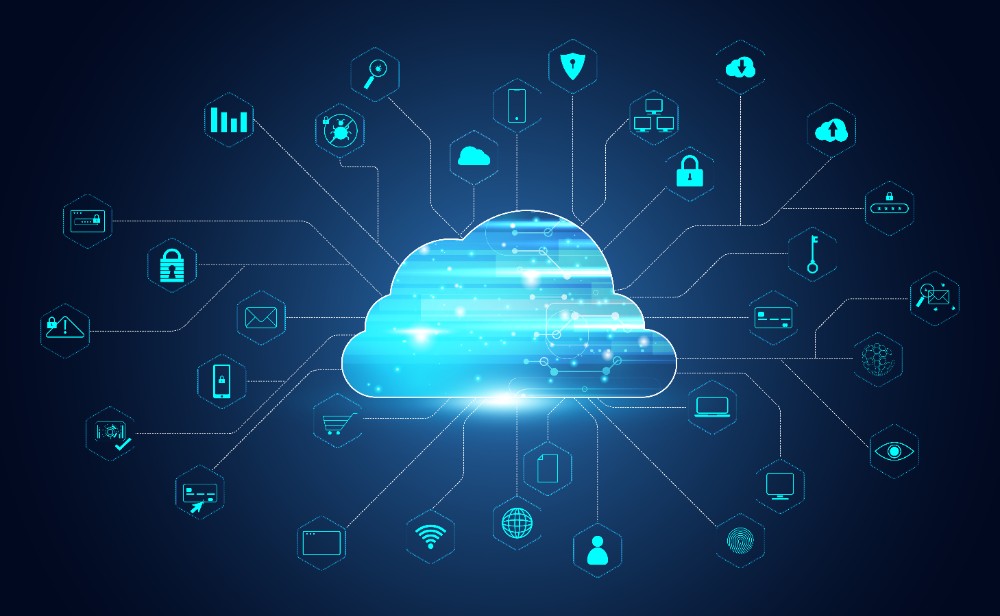
Cloud-first is different. This means the system was built from the start to work perfectly on the internet. It completely changes how customer waiting lines should be managed in a world where things are spread out and need to be working all the time.
Core Principles of Modern Cloud Architecture
Multi-region deployment ensures that if one data center experiences issues, your operations continue without interruption. Global consistency means a customer checking in at Branch A gets the same experience as Branch B, anywhere in the world.
Seamless updates happen in the background, without interrupting service. No more “maintenance windows” that force you to close counters or ask customers to wait.
The real way to know if a system is good is if it can grow quickly during very busy times. Think about Black Friday or holiday sales for stores, or the time when people file their taxes for the government, or the flu season in hospitals.

During these times, lots of people need service all at once. True cloud-first systems are designed to handle all that extra traffic. They automatically get bigger and faster when they need to. Nobody has to manually change anything to make them work better.
Micro-Architecture Insight (Non-Technical Yet Powerful)
Think of a distributed cloud design like a relay race team. In this kind of system, every single branch location acts like its own independent runner (called a node). They are all kept up-to-date and in sync with each other using smart controls. If one branch loses its internet connection, it does not cause the whole system to fail. It just keeps running its own part of the race.
Big companies with stores or offices all over the world need this multi-node reliability. This is because a customer’s experience in a city like Dubai must be exactly the same as their experience in a city like Denver. To be the same everywhere, the computer system needs to share its “intelligence” (or thinking power) across all the locations. It must not just keep all the power in one central place.
The business impact? Speed when customers need it, stability during high-volume periods, and scalability that grows with your operations without requiring hardware upgrades.
How a True Cloud-First Platform Handles Scale
Sudden surges test every system. Banks during month-end processing, hospitals during emergency influxes, retail during holiday sales—these aren’t edge cases. They’re predictable patterns that legacy systems consistently fail to handle.

Instant adaptability means the system recognizes increased load and allocates resources automatically. No local server strain, no performance degradation, no frustrated customers staring at frozen check-in kiosks.
Cloud-First vs Legacy Systems: The Reality Check
| Feature | Legacy On-Premises System | Cloud-First Queue System |
| Reliability | Single point of failure, network-dependent | Multi-region redundancy, 99.9%+ uptime |
| Maintenance | Manual patches, scheduled outages | Automatic updates, zero downtime |
| Scalability | Hardware-limited, requires planning | Elastic, instant resource allocation |
| Analytics Continuity | Lost during outages, delayed reporting | Real-time insights, always accessible |
| Cost Efficiency | High upfront costs, ongoing maintenance burden | Predictable subscription, no hardware CapEx |
Many businesses still rely on on-premise systems without realizing how much they limit reliability and growth. This comparison between cloud and on-premise queue management explains why legacy setups struggle in modern environments.
Smart Offline Mode: The Hidden Superpower That Keeps Operations Running
What’s interesting is this: the best cloud systems aren’t just reliable when connected. They’re designed to function completely independently when they’re not. That’s the difference between a feature and a superpower.
What Smart Offline Mode Actually Does
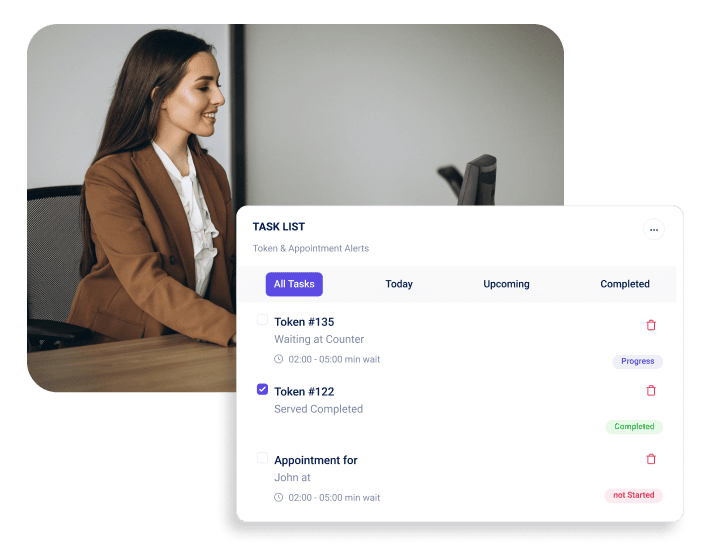
Processes tickets, check-ins, and workflows during network outages as if nothing happened. Counter staff can continue calling customers, managing queues, and recording service completions without interruption.
Keeps frontline teams fully functional, no panic, no workarounds, no apologizing to customers about “technical difficulties.”
Here’s the thing: it’s invisible to customers. Service continues normally because the system was built to anticipate disconnection, not just tolerate it.
How Intelligent Sync Protects Data Integrity
Local caching stores every transaction securely on-device during offline periods. When connectivity returns, event-based syncing kicks in automatically, no button-clicking required.
Automatic conflict resolution handles edge cases intelligently. If two branches processed overlapping data while offline, the system reconciles differences using predefined logic.
No manual fixes needed post-reconnection. That’s the standard decision-makers should hold vendors to. If your IT team spends time “cleaning up” after outages, your system isn’t truly offline-capable.
Security Continuity Even When Offline
Encryption remains active throughout offline operation. Data doesn’t become vulnerable just because it’s temporarily stored locally, it’s protected with the same enterprise-grade security standards.
Local storage is temporary and controlled. The moment the connection resumes, data syncs to the cloud, and local caches clear according to retention policies.
Compliance remains intact across all branches, whether online or offline. HIPAA, GDPR, PCI-DSS, and regulations don’t care about your network status, and neither should your queue system.
Real Scenarios Where Offline Mode Saves the Day
Retail during peak holiday hours often faces network congestion. Thousands of customers checking in simultaneously can strain even robust connections. With smart offline mode, each location continues processing independently while the network catches up.

Hospitals during server transitions can’t afford downtime. When migrating to new infrastructure or conducting maintenance, offline capability ensures patient check-ins, appointment tracking, and service delivery continue without gaps.
Government counters in remote or high-volume locations frequently deal with connectivity challenges. Whether it’s infrastructure limitations or unexpected surges during tax deadlines, operations can’t pause because of technical constraints.
When Offline Mode Prevented Operational Chaos
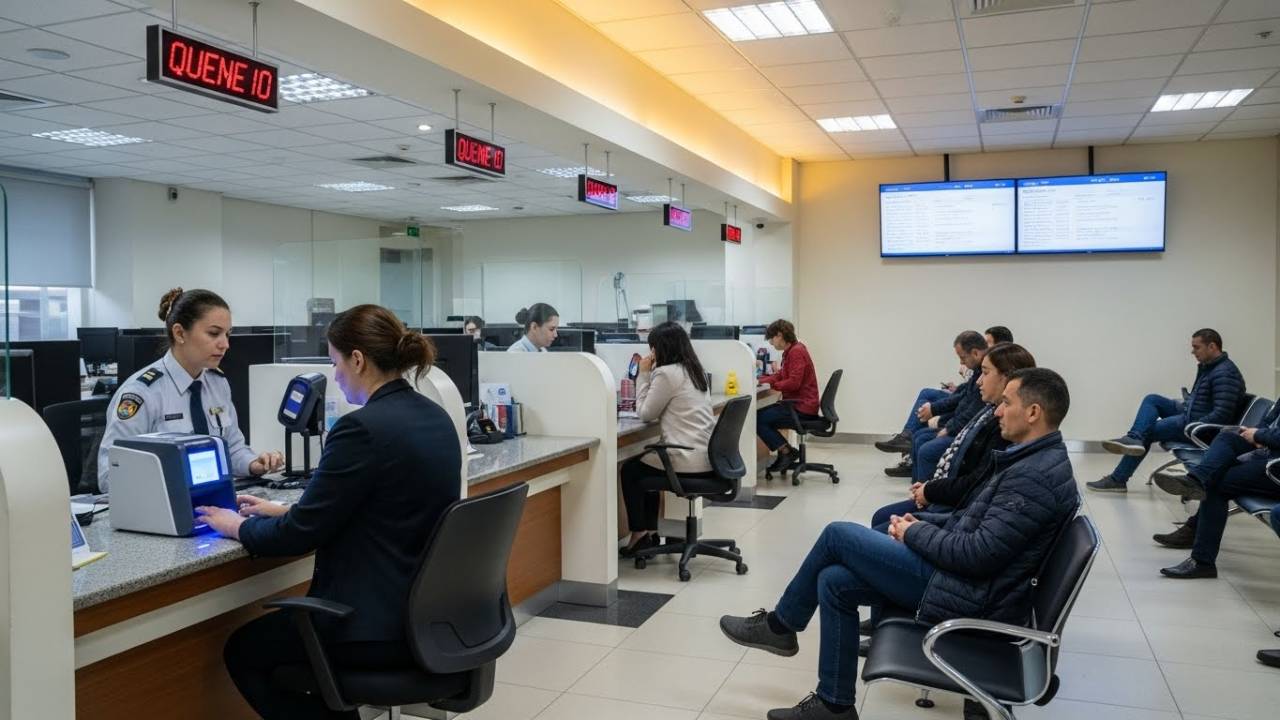
A large retail chain running 200+ locations experienced a regional network outage during their busiest shopping weekend. While competitors’ queue systems crashed, forcing manual ticket writing and crowd management, this retailer’s branches continued operating normally. Customers checked in digitally, staff managed flow through their usual interface, and when connectivity returned three hours later, all data synced automatically. Management didn’t even know about the outage until IT reported it the following week.
Why Industry Leaders Choose Cloud + Offline Together (Not One or the Other)

The point is that companies should not have to choose between two things. They need systems that are reliable when they are connected to the internet (that’s cloud reliability). However, they also need them to continue working when the internet is unavailable (that’s offline resilience). A business needs both of these things to work perfectly together. Choosing only one is like asking if a car needs an engine to move or wheels to go. It needs both!
Here’s why it is important:
Designed to Withstand Enterprise-Level Risks
Multi-layer redundancy means having backup systems for your backup systems. This makes sure things rarely fail. Cloud infrastructure has backups in different regions. This helps if one whole area has a problem. At the same time, the offline mode handles problems that happen only at one store or office.
Uptime guarantees backed by SLAs give leadership confidence in business continuity. No single point of failure exists, not in the network, not in the cloud architecture, not at the branch level.
Reliable across geographies and locations, from high-tech urban centers to rural government offices with limited infrastructure.
Continuity Across CX, Operations, and Team Productivity
Having zero service disruption means your service never stops working. This creates a smooth and reliable experience that customers really like. When the network has problems, your staff can still serve customers just as fast as before, and their work speed does not slow down.
The best part is that customers do not even notice when there is a problem or downtime. This is the final and best test of how well the system was built. When the technology works so well that you do not even think about it, that means you have reached operational excellence (which means you run your business perfectly).
Analytics Keep Running—Even When the Network Doesn’t
Here’s what this actually means for decision-makers:
When the internet goes down, the system still keeps track of everything that happens locally. This is called offline analytics.
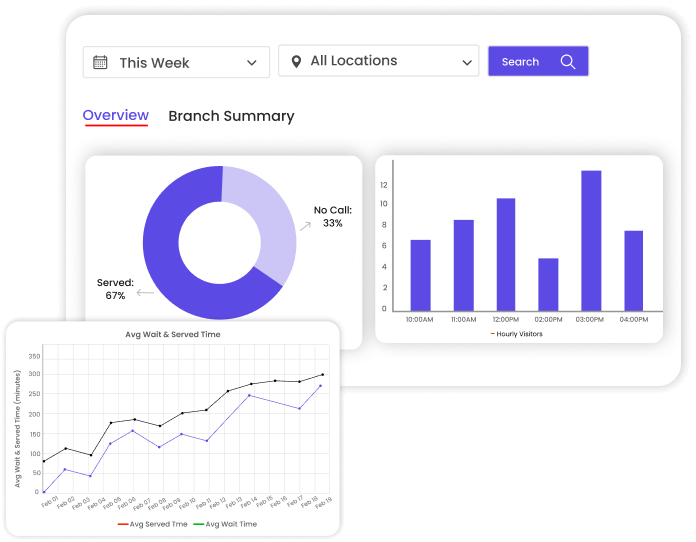
Every time a customer starts service, finishes waiting, or finishes their transaction, it all gets saved. This data is recorded on the local computer and then sent to the main system later, once the internet is back on. After everything is synced up, the data is complete. This gives the managers accurate information to make smart choices. There are no missing parts in the reports. They do not have to put a note saying, “We are missing data because the system broke.”
What Operations Leaders Are Saying
“Apollo Hospitals managed 77 outpatient clinics across Asia and Africa. Before implementing cloud-first queue management with offline capability, network issues meant patients couldn’t check in, and staff couldn’t access schedules. Now? Their teams don’t even notify IT about minor connectivity problems anymore because everything continues working. From a patient experience perspective, they’ve eliminated a major pain point that was entirely out of clinical staff’s control.”
— Director of IT Operations, Apollo Hospitals
The ROI Reality: Before and After
| Metric | Before Cloud + Offline | After Cloud + Offline |
| Average Wait Time | 18-22 minutes (spikes to 40+ during outages) | 12-15 minutes (consistent regardless of connectivity) |
| Downtime Incidents | 8-12 per quarter | 0-1 per quarter |
| Customer Satisfaction | 3.2/5.0 (significant complaints about service interruptions) | 4.6/5.0 (complaints shifted to service quality, not access) |
| Staff Productivity | 62% efficiency (includes recovery time after outages) | 89% efficiency (consistent performance) |
How Decision-Makers Should Evaluate a Cloud-First Queue System
Most vendor evaluations focus on features. Smart leaders focus on resilience. Here’s how to separate truly enterprise-grade platforms from repackaged legacy systems.
Non-Negotiable Capabilities to Look For
- Hybrid online/ offline reliability should be demonstrated, not promised. Ask vendors to simulate network failure during your demo. Watch what happens. If staff need to do anything manual to maintain operations, that’s not true offline capability.
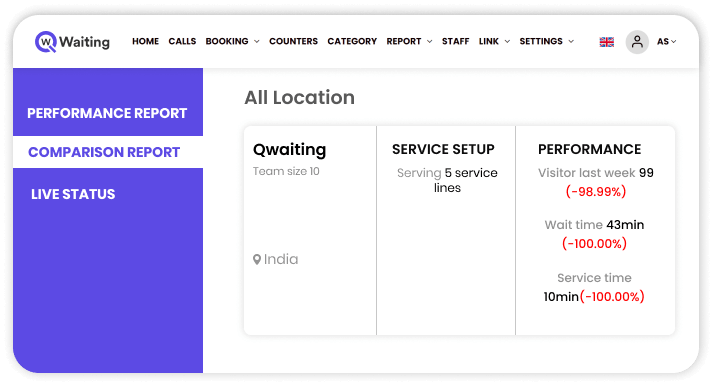
- Multi-branch orchestration means centralized visibility with distributed operation. You should see real-time analytics from all locations while each branch functions independently.
- Data sync intelligence goes beyond simple replication. How does the system handle conflicts? What happens when two branches modify the same customer record while offline? Automatic resolution based on business rules is the standard.
- Enterprise-grade security and compliance aren’t optional. Your queue system handles customer data, staff credentials, and operational insights. It needs to meet the same security standards as your core business applications.

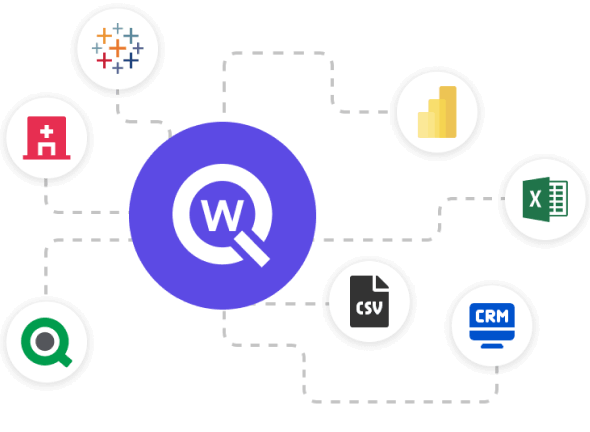
- A seamless integration ecosystem determines whether your queue system becomes a strategic platform or an isolated tool. Can it connect to your CRM, appointment scheduling, staff management, and analytics platforms?
For leaders evaluating modern systems, this must-read blog on cloud queue management breaks down how cloud-first platforms support scale, reliability, and continuity.
Building Operations That Never Stop
The difference between good queue management and exceptional operations comes down to one question: what happens when things go wrong?
Legacy systems were built for the best-case scenario: stable networks, predictable traffic, controlled environments. But real operations face network outages, traffic surges, and unexpected disruptions. That’s not the exception anymore.
Cloud-first architecture with smart offline mode represents a fundamental shift in how enterprises approach service continuity. It’s not about adding redundancy to old systems. It’s about rethinking queue management from the ground up with reliability, scalability, and resilience as core design principles.
Platforms like Qwaiting demonstrate what’s possible when cloud infrastructure and offline intelligence work together seamlessly. The technology exists. The ROI is measurable. The customer experience improvements are immediate.
The question for leadership teams isn’t whether to upgrade. It’s how quickly you can implement systems that match your operational reality, because your customers already expect service that never stops.
Ready to explore what always-on operations look like for your enterprise? Learn more about cloud-first queue management built for business continuity, not just convenience.